Last Login and Logout (Object Based)

Want to know the last time a user logged in to your Knack app?
This feature is usually implemented to keep track of the users who use the application, especially the period of time in which a session lasts.
Knack applications allow you to implement authentication forms simply and quickly, however when establishing a control or audit on the logins or log outs that are constantly running within the application, you must resort to the help of JavaScript for that end. Below we list a series of steps that will serve as a guide for the implementation of these logs:
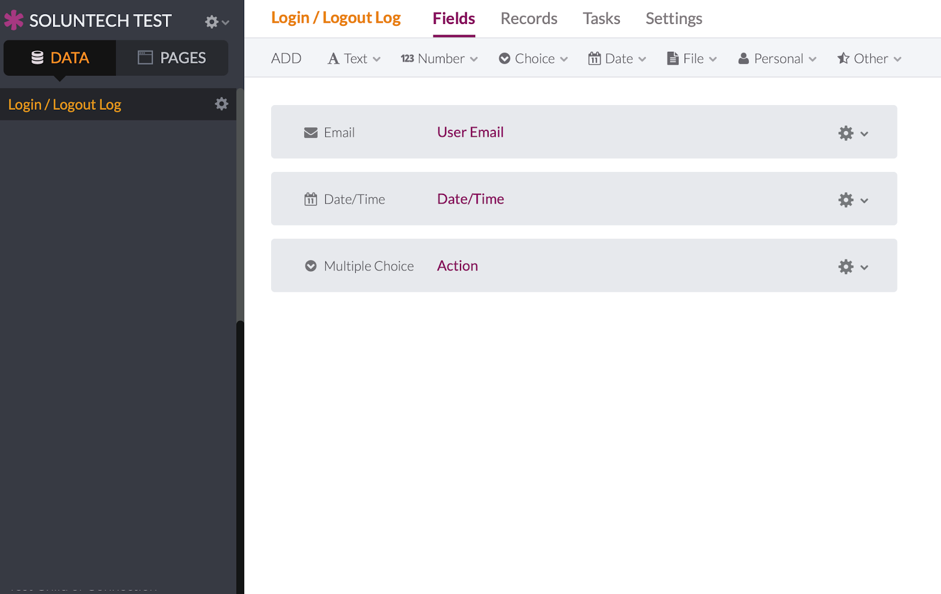
1. Create a new object in the database: Although the object can have any number of fields, it is recommended that it have at least three fields: Email, Date / Time and Action (Multiple Choice = Login or Logout).
2. Add the following lines of code within the API & Code section:
var LOGIN_PAGE = false;
var LOGIN = false;
// Set Knack Info for your app
var KNACK_HEADERS = {
    'X-Knack-Application-ID': 'XXXXXXXXXXXXXXXXXXXX',
    'X-Knack-REST-API-Key': 'YYYYYYYYYYYYYYYYYYYYY'
};
// Change object_XX for Login Log object ID
var objectId = 'object_XX';
// Login actions
$(document).on('knack-scene-render.any', function (event, scene) {
    LOGIN_PAGE = ($('.kn-login').length == 1) ? true : false;
    if (LOGIN_PAGE) {
        LOGIN = false;
        $('input[type="submit"]').click(function (e) {

            e.preventDefault();

            LOGIN = true;

            $('form').submit();
        });
    } else {
        if (LOGIN) {
            LOGIN = false;
            var user = Knack.session.user;
            // Create record log
            $.ajax({
                type: 'POST',
                headers: KNACK_HEADERS,
                url: Knack.api_url + '/v1/objects/' + objectId + '/records',
                data: {
                    field_XXX: user.email,  // Change field_XXX for Email field ID
                    field_YYY: 'Login'      // Change field_YYY for Action field ID
                }
            });
        }
    }
});
// Logout actions
$(document).on('knack-scene-render.any', function (event, scene) {
    // Check is already authenticated
    if (!Knack.session.user) {
        return;
    }
    $('.kn-log-out').on('click', function () {
        var user = Knack.session.user;

        // Create record log
        $.ajax({
            type: 'POST',
            headers: KNACK_HEADERS,
            url:  Knack.api_url + '/v1/objects/' + objectId + '/records',
            data: {
                field_XXX: user.email,  // Change field_XXX for Email field ID
                field_YYY: 'Logout'     // Change field_YYY for Action field ID
            }
        });
    });
});

And on this object you can use different native Knack components such as tables, reports or graphs.
We’re sure this will come in handy on all your projects.
Did you like it?
Please let us know!