3 steps to send SMS from Knack!

Hello folks!
Setting up Knack for message sending it’s possible. With this post, we'll show you how with these three easy steps:
- A Twilio account with a phone number ($1) and enough credits to test ($20)
- A cloud server to run your own end-point. We used NodeJS in this example.
- Your Knack app with an object and form to post the request to the end-point
Step 1: Setup Twilio
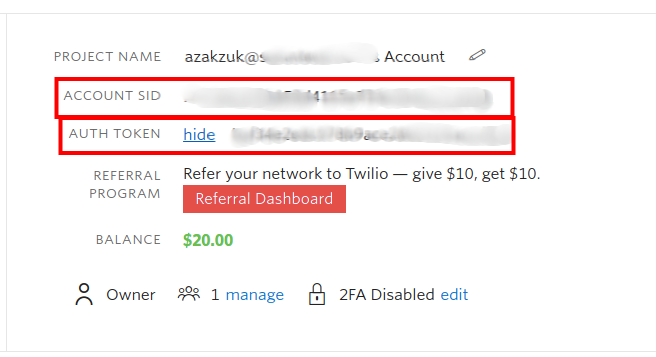
First of all you must have a Twilio account to create a project and purchase a phone number for that project. Each project has credentials that are needed to make the request from the backend, that is an account id and a token.
Step 2: Create the NodeJS endpoint
Once your Twilio account is ready, you want to create the endpoint that will receive the message and phone number from Knack, and forward it to Twilio API.
The code in the endpoint will look like this.
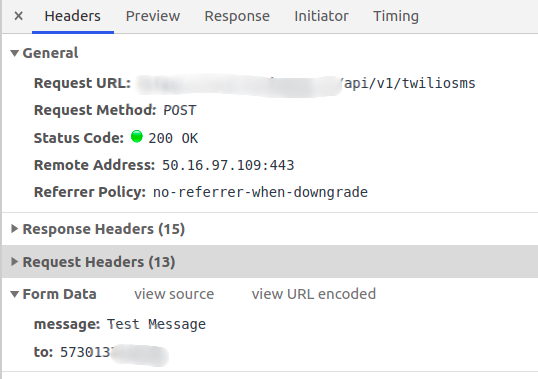
To see the code’s structure please enter this site: https://github.com/SOLUNTECH/Knack-to-Endpoint-to-Twillio
Step 3: Create the object and form in Knack
Now, you need to work in Knack to post the message to the endpoint. First, let’s create the object in the database with the simple fields.
Now, create a page and put a form to post to the object you just created.
Finally, go to the JavaScript section in Knack, and add this simple code. Make sure you update the field_id with your own.
// Server URL
var TEST_SERVER_URL = 'https://xxxxxxxxxxxx.xxx/api/v1/';
// Knack event listener
$(document).on('knack-form-submit.view_xxx', async function (event, view, data) {//Ajax request to the nodejs serverawait $.ajax({url: `${TEST_SERVER_URL}twiliosms`, // Endpoint URLtype: 'POST', // Methoddata: { // Body JSONmessage: data.field_301,to: data.field_300_raw.full},dataType: 'json'});});
Troubleshooting
If you can’t see the SMS coming , it may be due to multiple variables, however these are the 3 most common ones:
- Internet failure
- Server error
- Bad implementation of the Knack code
Want to know how it works?
Enter https://soluntech.knack.com/test#test-sms/ and test it yourself.
If you liked this, please leave a comment below, we’d love to read it!
Soluntech Team
AI-Native Engineering Firm
Soluntech's team writes about software, AI systems, validation, and operational technology from the perspective of disciplined engineering and long-term system ownership.
Continue with related insights.
Explore more thinking connected to this topic, from software decisions to AI systems and operational execution.

Decision Intelligence: Enhancing Business Strategy with AI
Decision Intelligence: Enhancing Business Strategy with AI
Soluntech Team
AI-Native Engineering Firm
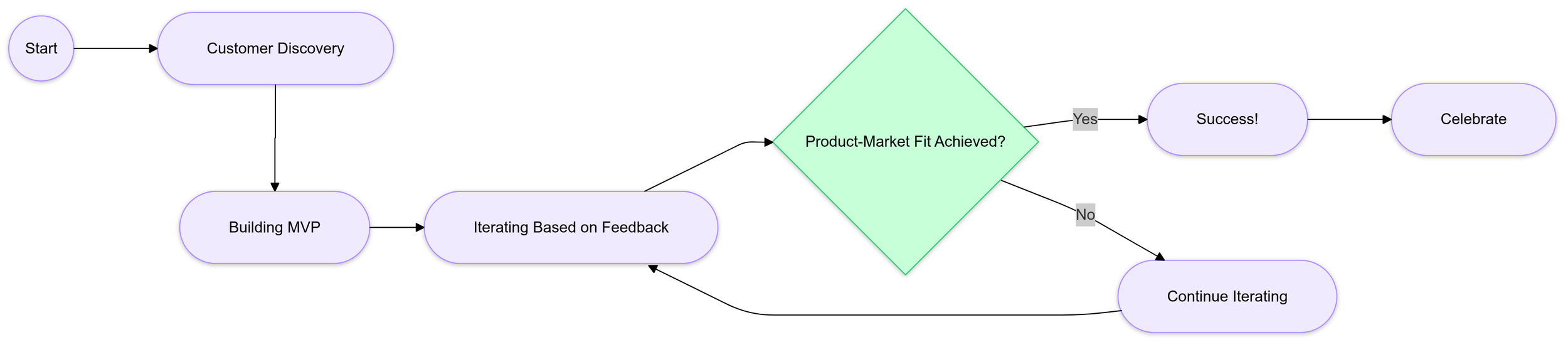
Conquer the Challenge of Product-Market Fit as a Founder
Product Market Fit Flow Chart
Soluntech Team
AI-Native Engineering Firm

The Metaverse: It Doesn’t Exist Yet, but Companies Are Already Doing Business in It
Photo by Michelangelo Buonarroti from Pexels
Soluntech Team
AI-Native Engineering Firm