How to Add a Favicon to Your Knack App?

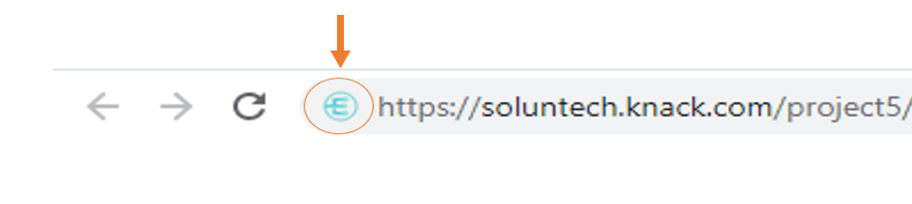
In order to help users save time and avoid the struggle of identifying your application in their web browser you must implement a Favicon.
This will also be practical for users to locate the application when there are too many tabs open at the same time. Additionally, a Favicon will make the design stand out and be visible, bringing brand recognition to your work.
Do you want to try? Follow this steps guide to implement it:
1. Create the Favicon image in *.ico or *.png format
2. Upload it to a cloud repository like Amazon S3
link.rel = 'shortcut icon';
link.href = 'https://soluntech-www.s3.amazonaws.com/Logo+Icon+-+125+x+125.png'; // Update this reference with your favicon URL path

document.getElementsByTagName('head')[0].appendChild(link);};
3. Insert this piece of code in your Knack app
 var UpdateFavicon = function () {
      var link = document.querySelector("link[rel*='icon']") || document.createElement('link');
      link.type = 'image/x-icon';
4. Add this code to the 'render.any' event
$(document).on('knack-scene-render.any', function(event, scene) {
            UpdateFavicon();
})
Incorporate this into all of your Knack apps and tell us how it goes!
Let’s make IT Happen!
Soluntech Team
AI-Native Engineering Firm
Soluntech's team writes about software, AI systems, validation, and operational technology from the perspective of disciplined engineering and long-term system ownership.
Continue with related insights.
Explore more thinking connected to this topic, from software decisions to AI systems and operational execution.

Minimum Viable Intelligence (MVI): Beyond the Traditional MVP
Minimum Viable Intelligence (MVI): Beyond the Traditional MVP
Soluntech Team
AI-Native Engineering Firm

The AI Learning Phase: Moving from Projects to Evolution
The AI Learning Phase: Moving from Projects to Evolution
Soluntech Team
AI-Native Engineering Firm

The AI-Native Lifecycle: Building Products that Learn
The AI-Native Lifecycle: Building Products that Learn
Soluntech Team
AI-Native Engineering Firm